
 +91 9876543210








 React Native Development
 Angularjs 2 Development
 Angularjs Development
 Nodejs Development
Piccosoft

Picco Labs
Picco AI
Piccosoft
Blogs
Showcases blog posts as Entries, grouped into categories like Lifestyle, Technology, or Travel. Each blog uChannel for blog templatesses a Blog Template for engaging and readable layouts.
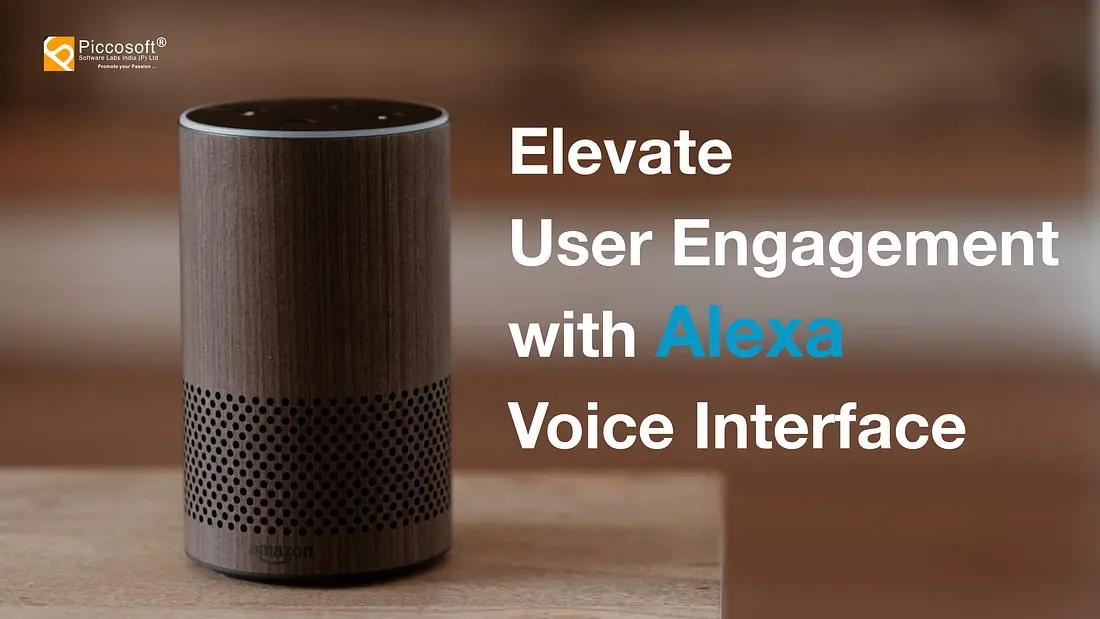
Explore the transformative power of Alexa Voice Interface. Piccosoft specializes in Alexa skill development, offering tailored solutions for immersive voice experiences. In the dynamic landscape of voice technology, Alexa has emerged as a powerful tool that extends beyond basic commands. Let’s delve into 10 innovative use cases where businesses and industries can implement Alexa Voice Interface to enhance user experiences and streamline operations: Hospitality Excellence: Elevate the guest experience in the hospitality industry by integrating Alexa Voice Interface for room service requests, personalized recommendations, and seamless communication between guests and staff. Example: User: “Alexa, can I order room service?” / Alexa: “Certainly! What items would you like to order?” Educational Empowerment: Transform the educational ecosystem by incorporating Alexa Voice Interface into school apps. Parents, teachers, and students can benefit from voice commands for accessing homework details, exam schedules, and school event information. Example: User: “Alexa, what is my child’s homework for today?” / Alexa: “Your child’s homework for today includes math exercises and a science project.” Healthcare Convenience: Enhance healthcare services with Alexa Voice Interface for patients. Offer features such as appointment scheduling, medication reminders, and health information retrieval through intuitive voice commands. Example: User: “Alexa, when is my next doctor’s appointment?” / Alexa: “Your next appointment is scheduled for next Tuesday at 2 PM. Would you like a reminder?” Real Estate Engagement: Revolutionize property exploration in the real estate sector with Alexa Voice Interface. Users can enjoy virtual property tours, learn about features, and inquire about pricing through interactive voice commands. Example: User: “Alexa, show me virtual tours of three-bedroom apartments.” / Alexa: “Sure! Here are virtual tours for three-bedroom apartments in your preferred location.” Smart Home Automation: Alexa becomes the central hub for smart home devices, allowing users to control lights, thermostats, security systems, and more. Create a seamless and convenient smart home experience through voice commands. Example: User: “Alexa, dim the lights in the living room.” / Alexa: “Dimming the lights in the living room as requested.” Retail Personalization: Implement Alexa Voice Interface in retail settings to provide personalized shopping experiences. Users can inquire about products, check availability, and receive tailored recommendations through voice commands. Example: User: “Alexa, can you recommend a laptop for gaming?” / Alexa: “Certainly! Based on your preferences, I recommend the XYZ gaming laptop. It’s currently on sale.” Entertainment Hub: Transform Alexa into an entertainment hub by allowing users to play music, set up playlists, and control compatible streaming services with voice commands. Provide a hands-free and immersive entertainment experience. Example: User: “Alexa, play my workout playlist.” / Alexa: “Playing your workout playlist. Let’s get energized!” Automotive Assistance: Integrate Alexa Voice Interface into vehicles to offer hands-free navigation, music control, and communication features. Enhance driver safety and convenience on the road. Example: User: “Alexa, navigate to the nearest gas station.” / Alexa: “Navigating to the nearest gas station. Estimated time of arrival is 10 minutes.” Travel and Tourism Exploration: Enrich the travel experience by implementing Alexa Voice Interface in travel and tourism portals. Users can inquire about travel packages, destinations, and accommodation preferences through voice commands. Example: User: “Alexa, tell me about vacation packages to Hawaii.” / Alexa: “Sure! There are various vacation packages to Hawaii, including beachfront resorts and adventure tours.” Financial Advisory: Enable users to access financial information and conduct basic transactions through Alexa Voice Interface. Provide a convenient and secure platform for users to manage their finances using voice commands. Example: User: “Alexa, what is my account balance?” / Alexa: “Your current account balance is $5,000. Would you like to hear recent transactions?” In conclusion The integration of Alexa Voice Interface represents a transformative shift in how we interact with technology across diverse industries. From enhancing the guest experience in hospitality to revolutionizing education, healthcare, real estate, and beyond, Alexa’s versatility and intuitive voice commands open up new realms of convenience and engagement. The seamless integration of voice technology not only simplifies daily tasks but also fosters a more natural and interactive relationship between users and the digital ecosystem. Piccosoft Software Labs, with its expertise in Alexa skill development, stands at the forefront of harnessing the power of voice interfaces. By combining cutting-edge technology, user-friendly design, and tailored solutions for Alexa, Piccosoft empowers businesses to stay ahead in the dynamic landscape of voice-based interactions. Explore more at www.piccosoft.com to discover how the integration of Alexa Voice Interface can elevate your applications and services, providing users with an optimized and engaging voice experience. Embrace the future of technology with Piccosoft and redefine the way users interact with your products and services.
Continue reading »
In the dynamic landscape of Software as a Service (SAAS), where user experience is paramount, the success of a product hinges on its ability to seamlessly blend functionality with intuitive design. In this article, we delve into the best practices that elevate SAAS product design, encompassing principles, usability testing, and the crucial incorporation of user feedback. Understanding User Personas Before laying the foundation of your SAAS product, embark on a journey to understand your users intimately. Create detailed user personas to identify their needs, pain points, and expectations. Tailor your design to cater to these personas, ensuring that the end result aligns with user preferences. Embracing a Minimalistic Design Approach Less is more, especially in the realm of SAAS product design. Adopt a minimalistic approach that prioritizes essential features and a clean interface. A clutter-free design not only enhances user comprehension but also contributes to faster load times and improved performance. Responsive Design for Seamless Accessibility In an era dominated by diverse devices, ensure your SAAS product is accessible across various screen sizes. Responsive design guarantees a consistent user experience on desktops, tablets, and smartphones, catering to users who prefer flexibility in their working environment. Usability Testing: A Crucial Iterative Process Usability testing is the backbone of crafting an intuitive SAAS product. Regularly conduct usability tests at different stages of development to identify potential pain points and areas for improvement. Gather insights from real users to validate assumptions and enhance user satisfaction. Prioritizing Consistency in Design Elements Consistency is key to fostering a sense of familiarity among users. Maintain uniformity in design elements, such as color schemes, fonts, and button styles, across different sections of your SAAS product. This not only improves aesthetic appeal but also contributes to a smoother user journey. Intuitive Navigation for User Empowerment Effortless navigation is the cornerstone of a positive user experience. Implement an intuitive navigation structure that aligns with user expectations. Ensure that users can effortlessly find what they’re looking for, reducing the learning curve and fostering user empowerment. Feedback Loops: The Catalyst for Improvement User feedback is invaluable in refining your SAAS product. Establish robust feedback loops through in-app surveys, user interviews, and analytics tools. Actively listen to user suggestions and pain points, and iterate on your design based on this user-driven data. Accessibility: Designing for All Users Prioritize accessibility to ensure your SAAS product is usable by individuals with diverse abilities. Adhere to accessibility standards, such as WCAG, to make your product inclusive. This not only broadens your user base but also aligns with ethical and legal considerations. Elevating User Experience to Drive SAAS Success In the competitive landscape of SAAS, a superior product design and user experience are non-negotiable. By adhering to these best practices, you not only enhance user satisfaction but also position your SAAS product as a leader in its domain. Remember, the art of crafting intuitive experiences is an ongoing journey, and staying attuned to user needs is the compass that guides you toward success. At Piccosoft, we understand the nuances of SAAS product development.With a proven track record in crafting innovative solutions, we’ve successfully developed SAAS products in various domains, including Education, Employee Work Tracking, Healthcare, Finance, Manufacturing, and more for several businesses across the globe. Our commitment to user-centric design and cutting-edge technology ensures that our products not only meet but exceed user expectations. If you’re ready to elevate your SAAS game, explore our portfolio and discover the Piccosoft difference. Your journey to seamless, user-friendly SAAS experiences starts here. Learn more about our SAAS solutions at https://www.piccosoft.com/

More blogs
-

- 1
- 2
